
01 / ACCOUNT WORKSPACESOne home for
One home for
every account.
Keep multiple WhatsApp Web accounts connected, organized, and just one click away. No more endless signing in and out.
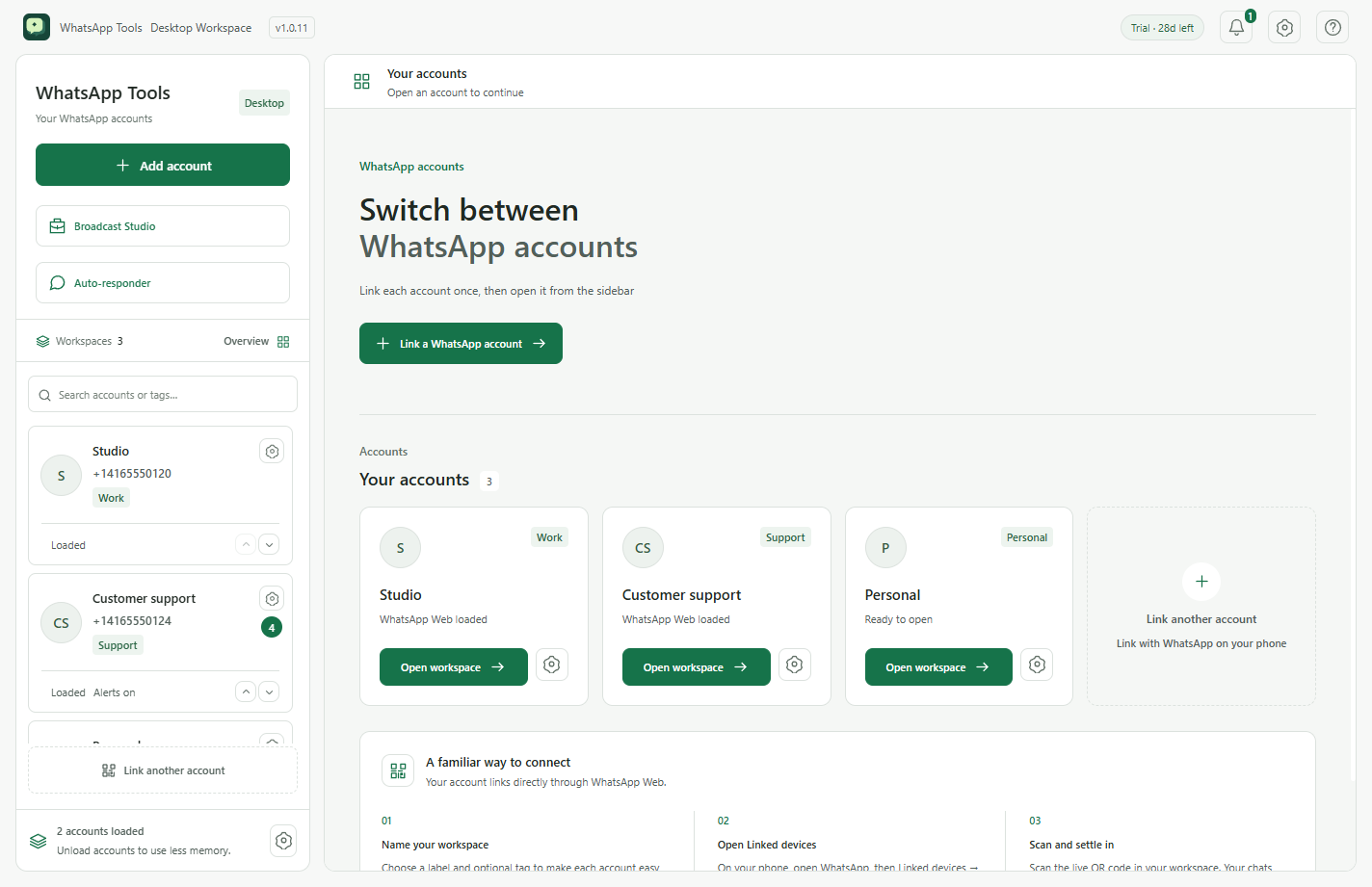
Stop switching windows. Organize work, business, and personal WhatsApp accounts in one focused desktop app.
30-day trial · No payment details to start · Windows, macOS & Linux
Built around the way you actually use WhatsApp, so your conversations stay organized and your day keeps moving.
Keep multiple WhatsApp Web accounts connected, organized, and just one click away. No more endless signing in and out.
Name your accounts, add tags, manage notifications, and choose which workspaces stay active.
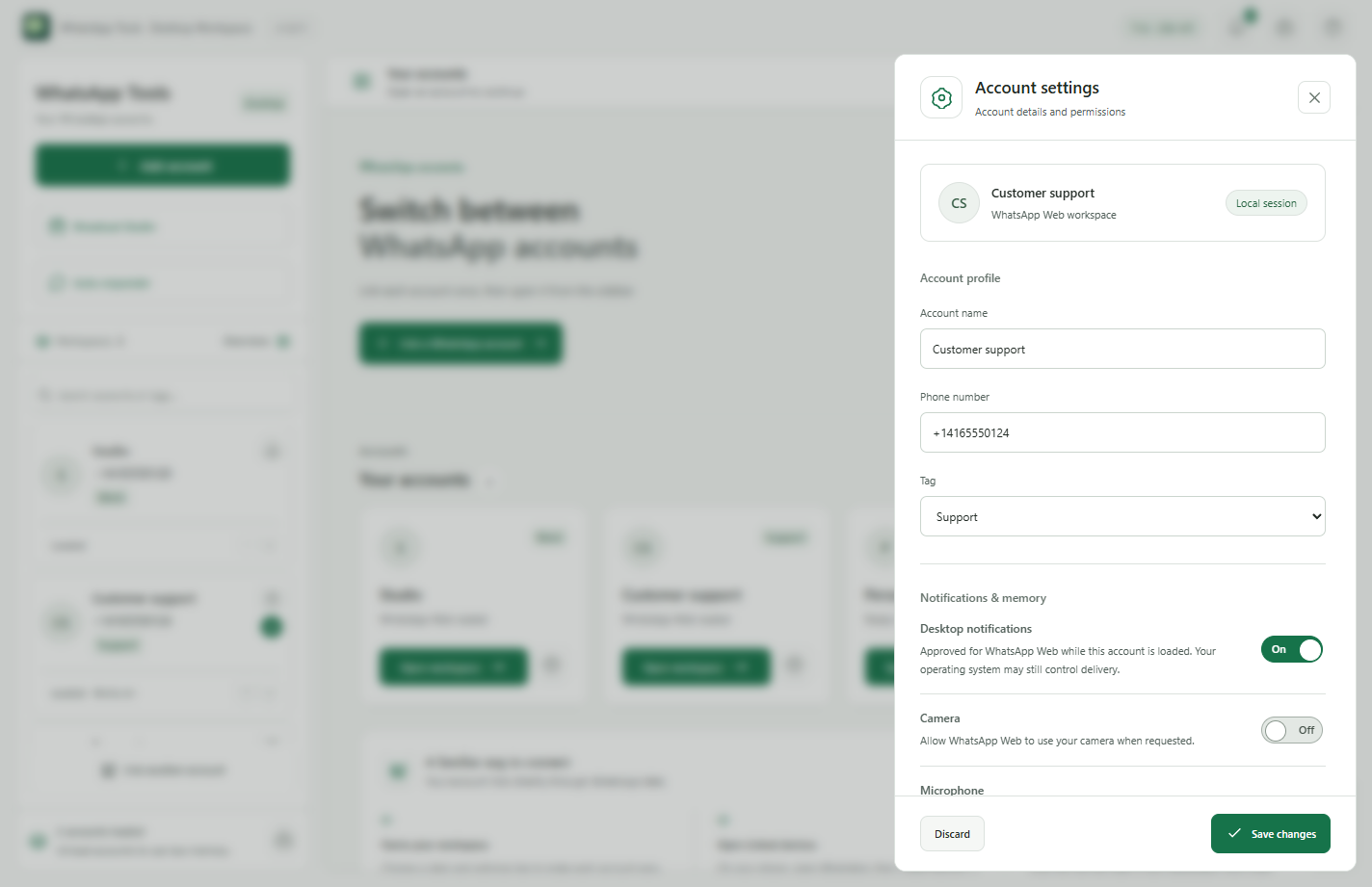
Find accounts quickly, switch from the system tray, and unload the workspaces you don't need right now.
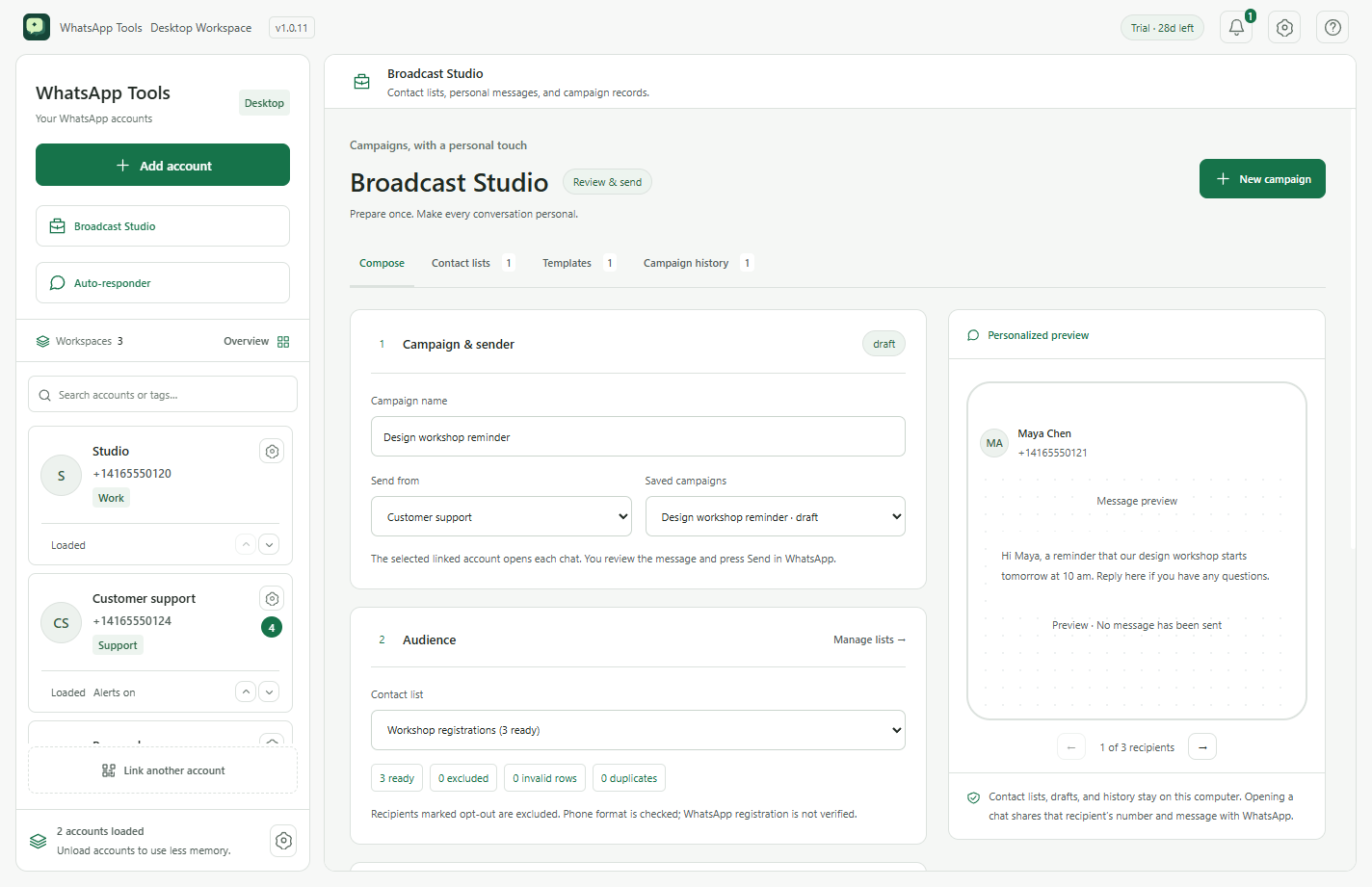
Prepare personalized messages without losing the human touch. Create contact lists, preview messages, and open each conversation when you're ready to send.
Messages are never sent automatically. Delivery status is not verified.
Choose your platform and start a 30-day trial with all features included.
Scan the QR code using WhatsApp's Linked devices feature on your phone.
Add account names, adjust settings, and work from one organized space.
Download for your computer and try every feature free for 30 days. No payment details required to start.
Windows x64 · Unsigned installer
Download for Windows ↗Apple Silicon · M1 or newer
Download for Mac ↗x64 · AppImage or Debian
Download AppImage ↗Download .deb package ↗Version 1.0.14 · Direct-download Premium activation after the trial is ₹500 in India. The Mac App Store release is pending (planned price US$9.99). Windows may show SmartScreen or Unknown publisher warnings. Store purchases and direct-download activation are separate.
No. WhatsApp Tools is an independent desktop client that opens WhatsApp Web in separate account workspaces. It is not affiliated with WhatsApp or Meta.
Account labels, contact lists, templates, and campaign history are stored in your local app profile. WhatsApp Web maintains its own browser data and communicates with WhatsApp. Opening a prepared chat shares its recipient number and message with WhatsApp.
No. It prepares a personalized message and opens the chat in the account you choose. You review and send in WhatsApp yourself. “Marked sent” is your own record, not a delivery or read receipt.
The signed and notarized Mac direct download supports Apple Silicon (M1 or newer). The Mac App Store release is pending. Windows x64 is available as an unsigned direct installer and may trigger Windows security warnings. Linux x64 is available as an AppImage or Debian package. The Mac download requires Apple Silicon. Older free preview downloads have been withdrawn.
No. You paste the received message and choose when to generate a reply. Rules, schedules, and saved templates help prepare the draft; you review and send it in WhatsApp yourself. Tests are local simulations, and marked-sent records are self-reported.
Version 1.0.3 allows notifications, camera and microphone for WhatsApp Web by default. You can turn each off in account settings. Windows/macOS may still require approval, and alerts and calling availability depend on WhatsApp, hardware and system settings. Screen sharing is not enabled.
Return to the app after checkout. Version 1.0.2 checks direct purchases automatically. You can also choose Check purchase status. You do not need a manual activation key for an in-app purchase. If payment succeeded, do not pay again.
Use the update method for your purchased edition. Keep a backup of your local app profile before moving installations. To revoke access, use Linked devices in WhatsApp on your phone.
Make the most of your WhatsApp Tools workspace.