Prepare personalized WhatsApp messages with Broadcast Studio
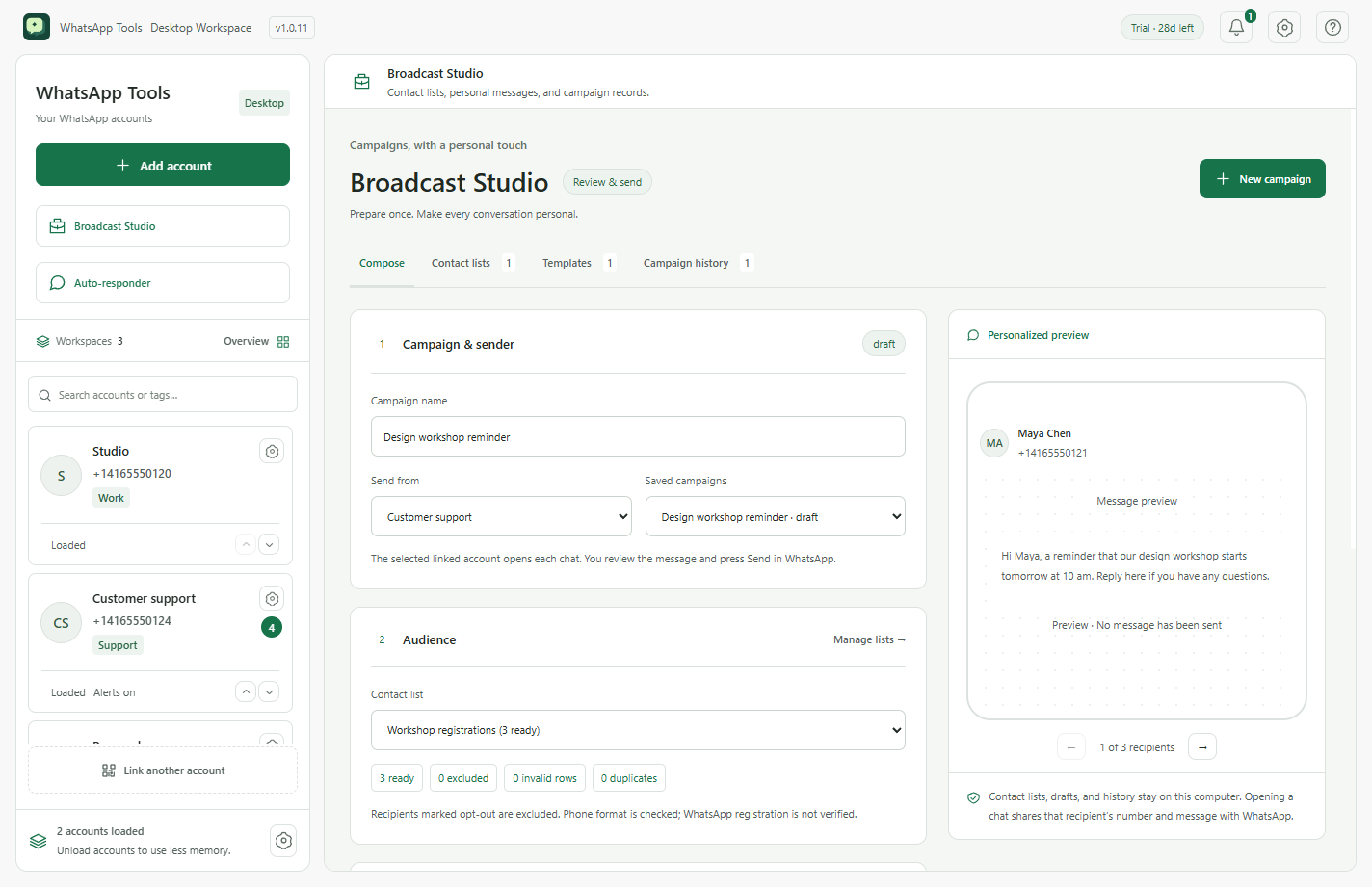
Broadcast Studio helps you organize a contact audience, prepare a message and preview the version for each person. You open each chat, review the text and press Send in WhatsApp yourself.
From a contact list to a reviewed message
- Import your CSV contact list. Review duplicate contacts and opt-outs before preparing an audience.
- Write a draft using names, companies and custom contact fields to make the message relevant to each person.
- Preview the personalized text for a recipient and choose the WhatsApp account you want to use.
- Open the prepared chat, check the recipient and message, and send it manually in WhatsApp.
- Keep your own campaign records and export them when needed.
A practical example
A small business can prepare an appointment reminder for contacts who expect to hear from it. A reusable greeting such as Hi {{first_name}}, can be personalized from imported contact fields. Check each preview for missing or incorrect values before opening the chat.
What sending and tracking mean
The app does not send bulk messages automatically, confirm delivery or report read receipts. Marked-sent entries are your own records. Opening a prepared chat shares its recipient number and message with WhatsApp. Use contact lists you have permission to message and respect opt-outs.
Keep preparation on your computer
Imported contacts, templates, drafts and campaign history are stored in your local app profile. Protect the computer and its backups. Read the privacy page for the distinction between local app data and WhatsApp Web processing.
Try every feature for 30 days
No payment details are required to start the direct-download trial. Premium activation for India is ₹500 after the trial. Store purchases are separate.
Choose your desktop download →